Tutorials·
How to add an animated background to a Next.js hero without hurting LCP
A step-by-step guide to an animated WebGL hero background in the Next.js App Router: one client component, no hydration errors, reduced motion, off-screen pausing, and the headline kept as the LCP element.
Loris·6 min

Short answer: put the animated background in a client component that only touches window inside useEffect, make it the first child of a position: relative hero, mark it aria-hidden, and keep the headline as real HTML text so it stays the LCP element. Pause it off-screen, show a still frame for reduced motion, and cap the pixel ratio at 2. Wayglim, our free studio, exports a Next.js component that does all of this.
An animated hero background is mostly a layout problem with a performance problem attached. The layout part: the background has to fill the hero, sit behind the content and never catch a click. The performance part: it shouldn't delay the first paint, drain a phone battery, or run while nobody is looking at it.
This guide walks through both with a real file, the one Wayglim exports. You can use it as-is, or as a checklist for your own component.
Step 1: Pick and tune a look
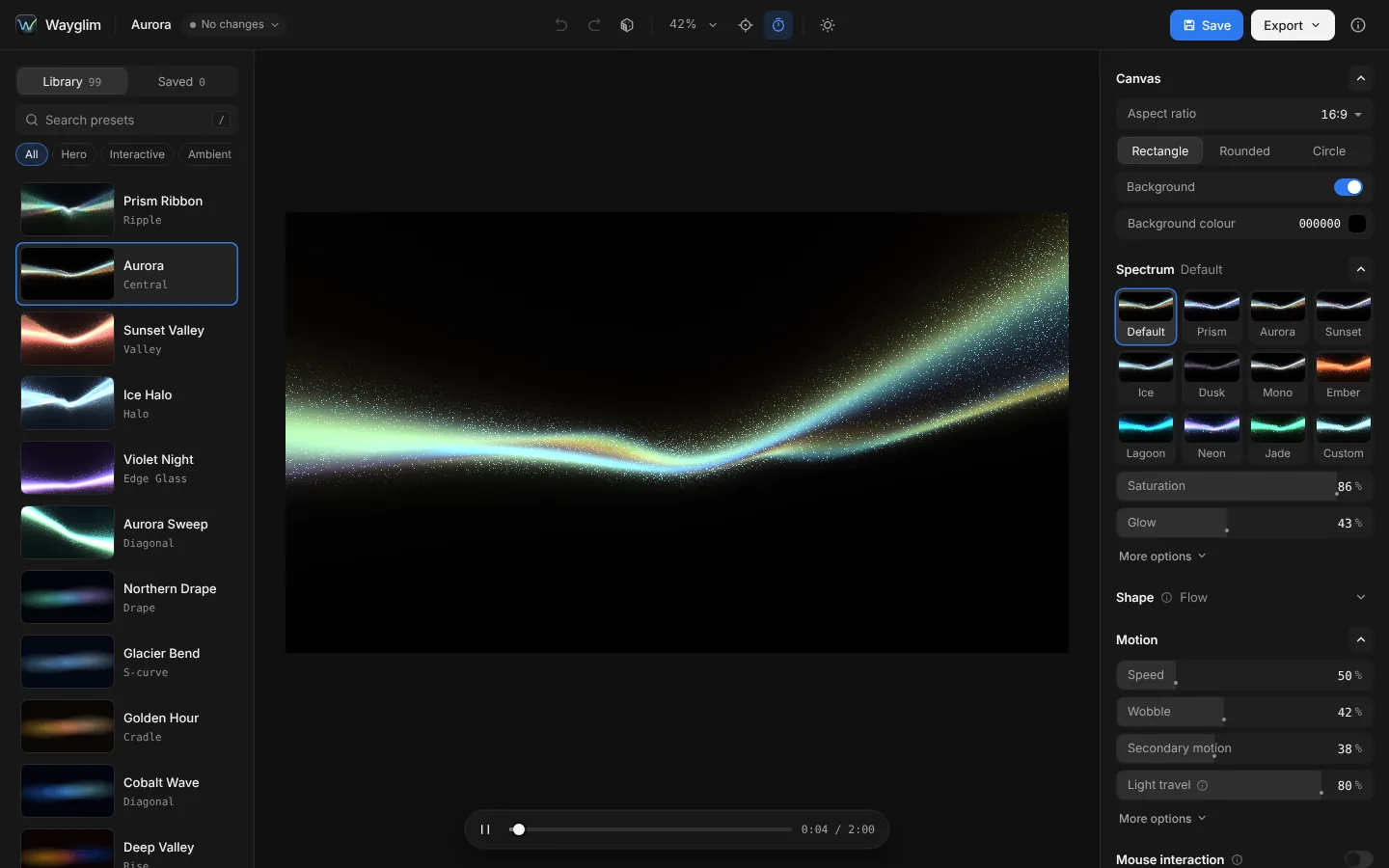
Open Wayglim and pick a look from the Library. Tune colour (Spectrum), shape and motion (Speed, Wobble, Secondary motion, Light travel) in the Design panel. The canvas shows exactly what the component will render.
Step 2: Export the Next.js component
Open Export → Code → Next.js. Three settings decide how it behaves on your site:
- Max pixel ratio (default 2×). A 3× phone screen would otherwise draw 2.25 times more pixels than 2× for a difference nobody can see in soft light.
- Pause offscreen (on). Stops drawing when the hero scrolls out of view or the tab is hidden.
- Respect reduced motion (on). Shows one still frame for visitors who turned on reduced motion in their system settings.
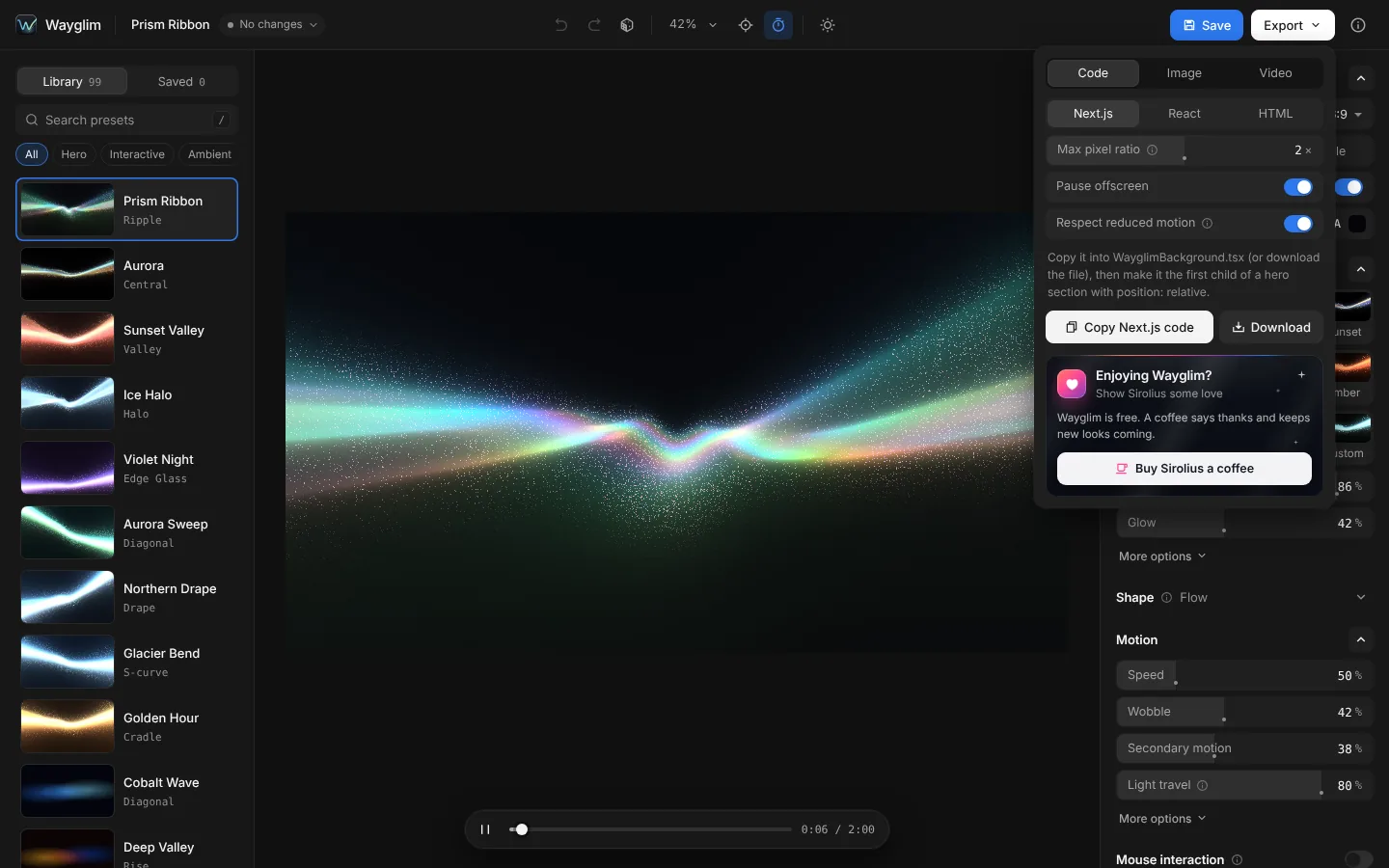
Click Download or Copy Next.js code. You get one file, WayglimBackground.tsx.
Step 3: Add it to the hero
Save the file unchanged as src/components/WayglimBackground.tsx, then make it the first child of a positioned hero section:
// src/app/page.tsx (a Server Component is fine)
import WayglimBackground from "@/components/WayglimBackground";

export default function Home() {
  return (
    <section className="relative isolate overflow-hidden min-h-[80vh]">
      <WayglimBackground />
      <div className="relative z-10 mx-auto max-w-3xl px-6 pt-40">
        <h1 className="text-5xl font-medium text-white">Ship faster.</h1>
        <p className="mt-4 text-lg text-white/70">One sentence about what it does.</p>
      </div>
    </section>
  );
}
That's the whole setup. Not using Tailwind? The same thing in CSS is position: relative; isolation: isolate; overflow: hidden; min-height: 80vh on the section, and position: relative; z-index: 1 on the content.
Why this doesn't cause hydration errors
The most common error people hit with animated backgrounds in Next.js is window is not defined, or a hydration mismatch. Both come from touching browser APIs while the server renders.
The exported file starts with "use client" and creates its WebGL canvas inside useEffect, which only runs in the browser. On the server it renders one empty div with the background colour. So the server HTML and the first client render match, and nothing runs on the server.
You can import it straight into a Server Component, as above. You don't need next/dynamic.
Why it doesn't hurt LCP
Largest Contentful Paint measures when the biggest piece of content appears. On a hero, you want that to be the headline, because the headline is HTML text that paints as soon as the font is ready.
Three things keep it that way:
- The background isn't content. The component is
aria-hiddenand draws to a canvas, and canvas drawing doesn't count as a content paint. The headline stays the LCP element. - The HTML is tiny. The server sends an empty
divwith the background colour. The page looks right (dark hero, readable text) before any JavaScript runs. - The code is small. The exported component is 74.6 KB as source and 35.3 KB gzipped, including the shader engine. It has no dependencies beyond React. For comparison, three.js alone is about 182 KB gzipped before any scene code (vanta.supply's comparison).
If you want the component out of the first JavaScript bundle entirely, load it from a small client wrapper:
"use client";
import dynamic from "next/dynamic";
const WayglimBackground = dynamic(() => import("./WayglimBackground"), { ssr: false });
export default WayglimBackground;
ssr: false is only allowed inside a Client Component in the App Router, which is why it needs its own file.
What else the component handles
From the exported file's own notes:
- Fills its nearest positioned parent and covers it like
object-fit: cover, keeping the studio framing. layout="block"renders an in-flow box with the studio's aspect ratio instead, for a background that isn't behind a hero.pausedstops it from your own code, for example while a modal is open.labelgives it an accessible name if the light is meaningful. Without it, it's hidden from screen readers.- Keeps the background colour if WebGL2 isn't available, and recovers if the browser drops the WebGL context.
- With an interactive look, the light follows the pointer over the whole section and stays still for reduced motion.
Checklist for any animated hero background
Whether you use Wayglim or write your own:
| Check | Why |
|---|---|
Browser APIs only inside useEffect |
No window is not defined, no hydration mismatch |
position: relative on the hero, absolute + inset: 0 on the background |
Fills the hero without changing the layout |
Background is aria-hidden and pointer-events: none |
Screen readers skip it, clicks reach the buttons |
| Headline is real text, not part of the image | Readable, indexable and the LCP element |
| Pixel ratio capped at 2 | Up to 2.25× fewer pixels on 3× screens |
| Pause off-screen and in hidden tabs | Saves battery and keeps scrolling smooth |
Still frame for prefers-reduced-motion, and a way to pause |
Accessibility (WCAG 2.2.2 asks for a pause control on moving content) |
| Solid background colour as a fallback | The page looks right before and without WebGL |
Questions people ask
How do I add an animated background in Next.js? Use a client component that creates the animation in useEffect, place it as the first child of a position: relative hero, and put your content after it with position: relative.
Does an animated background hurt SEO? Not if the headline and copy are HTML text on top of it. Search engines read the text; the canvas is ignored.
Will it work with the Pages Router? Yes. The component is plain React, and useEffect only runs in the browser there too.
Is there a version for plain React or HTML? Yes. Export → Code also has React and HTML. The HTML version is two snippets: the engine once per page, then the background where you want it.
Can I use it in a commercial project? Yes. Everything you export from Wayglim is free for personal and commercial use, with no credit required. See the licence.
 Try Wayglim, freeWayglim is a free studio for animated light backgrounds. Pick a look, tune its colour and motion, then export Next.js, React or HTML code, an image or a video.